Your whole show day, in one place.
The patch, the stage boxes, the wireless, the running order and the DJ rigs. Built by a working audio engineer for live-audio crews and stage techs.
Mac · iPad · iPhone · Windows · No account. No server. Your shows stay on your devices.
Show day
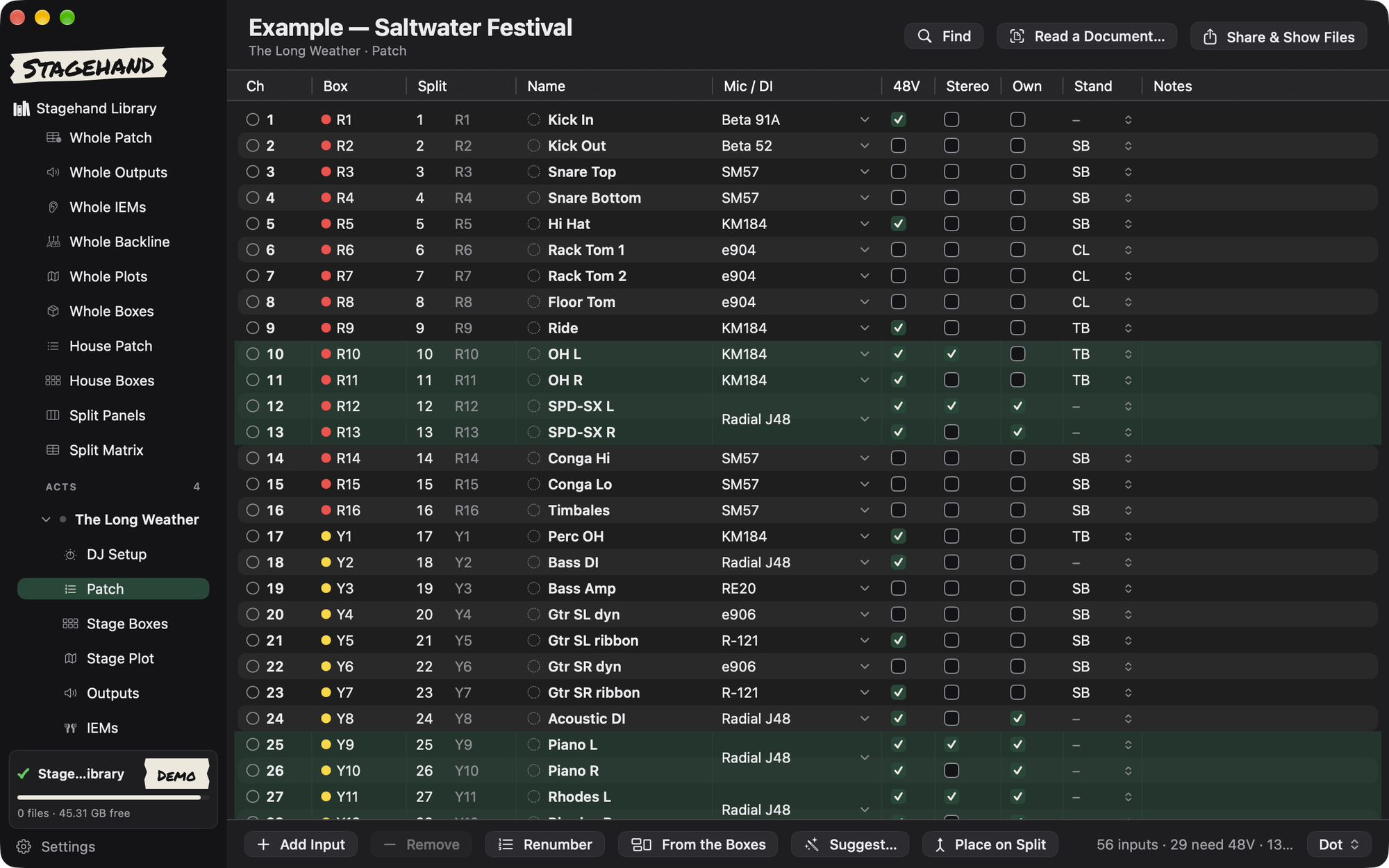
Know what happens next, all day.
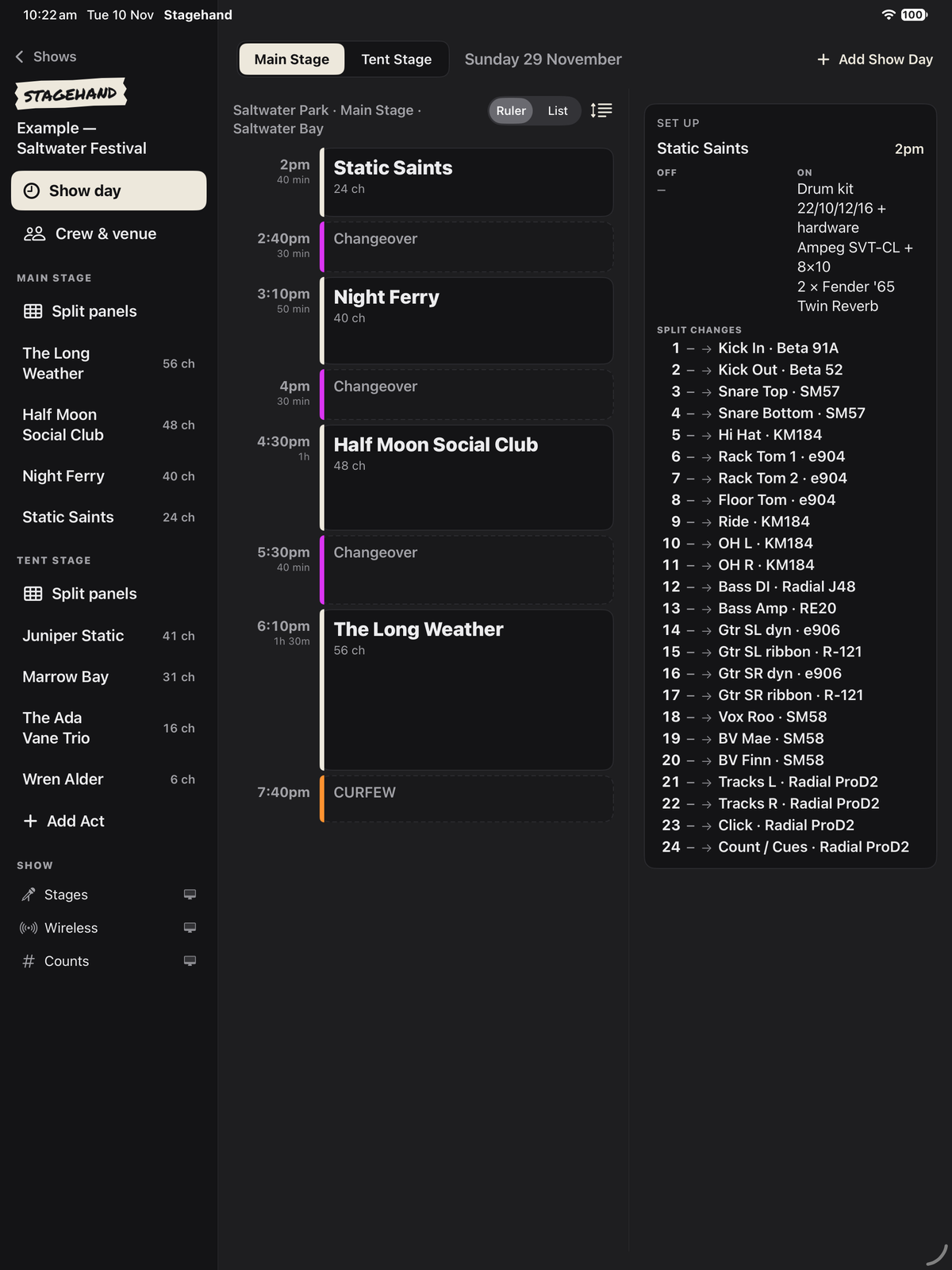
The running order, set times and changeovers on one page. Every act, every stage, every day of the festival.
- Ruler or list view of the day
- Acts, changeovers, doors and curfew
- Multi-stage, multi-day festivals
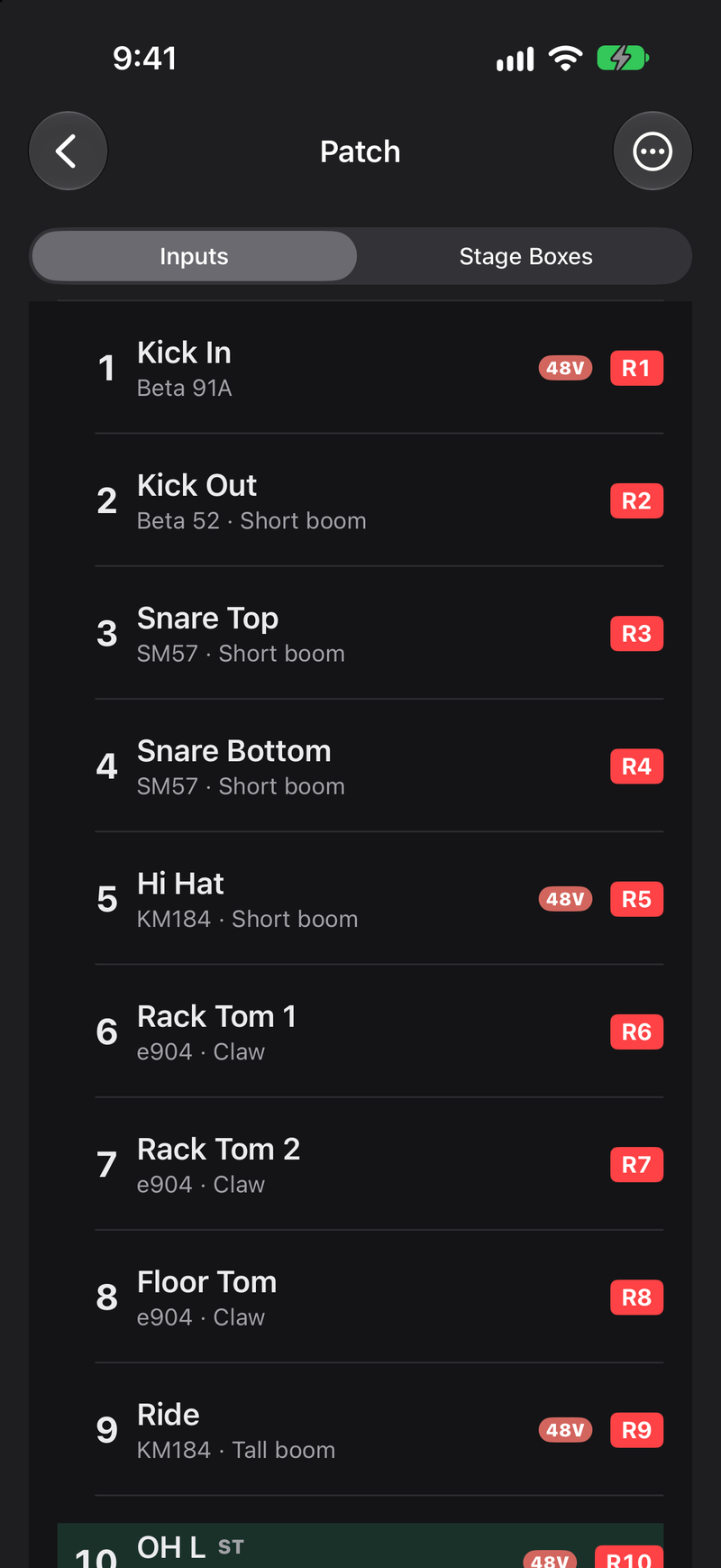
Patch and stage boxes
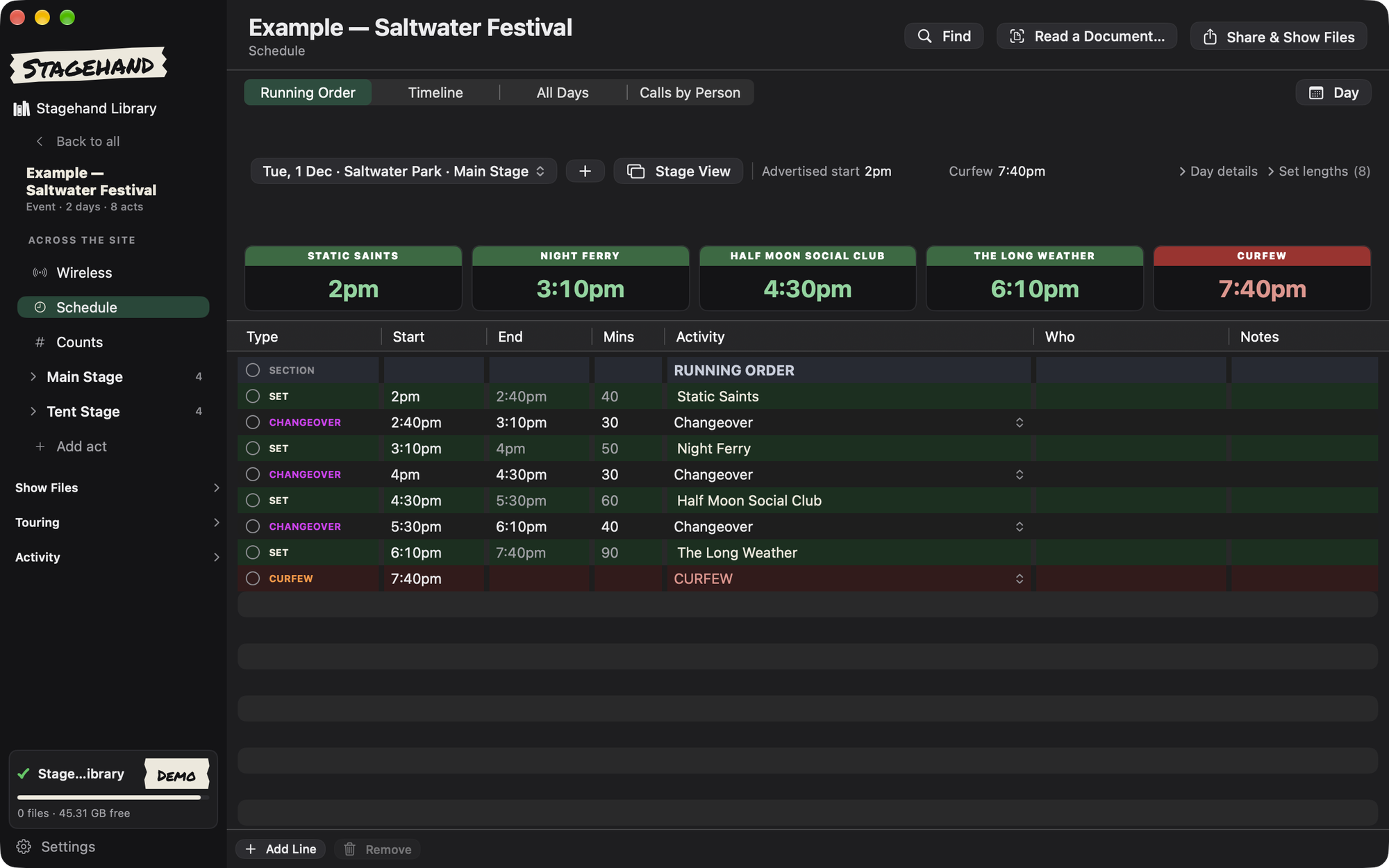
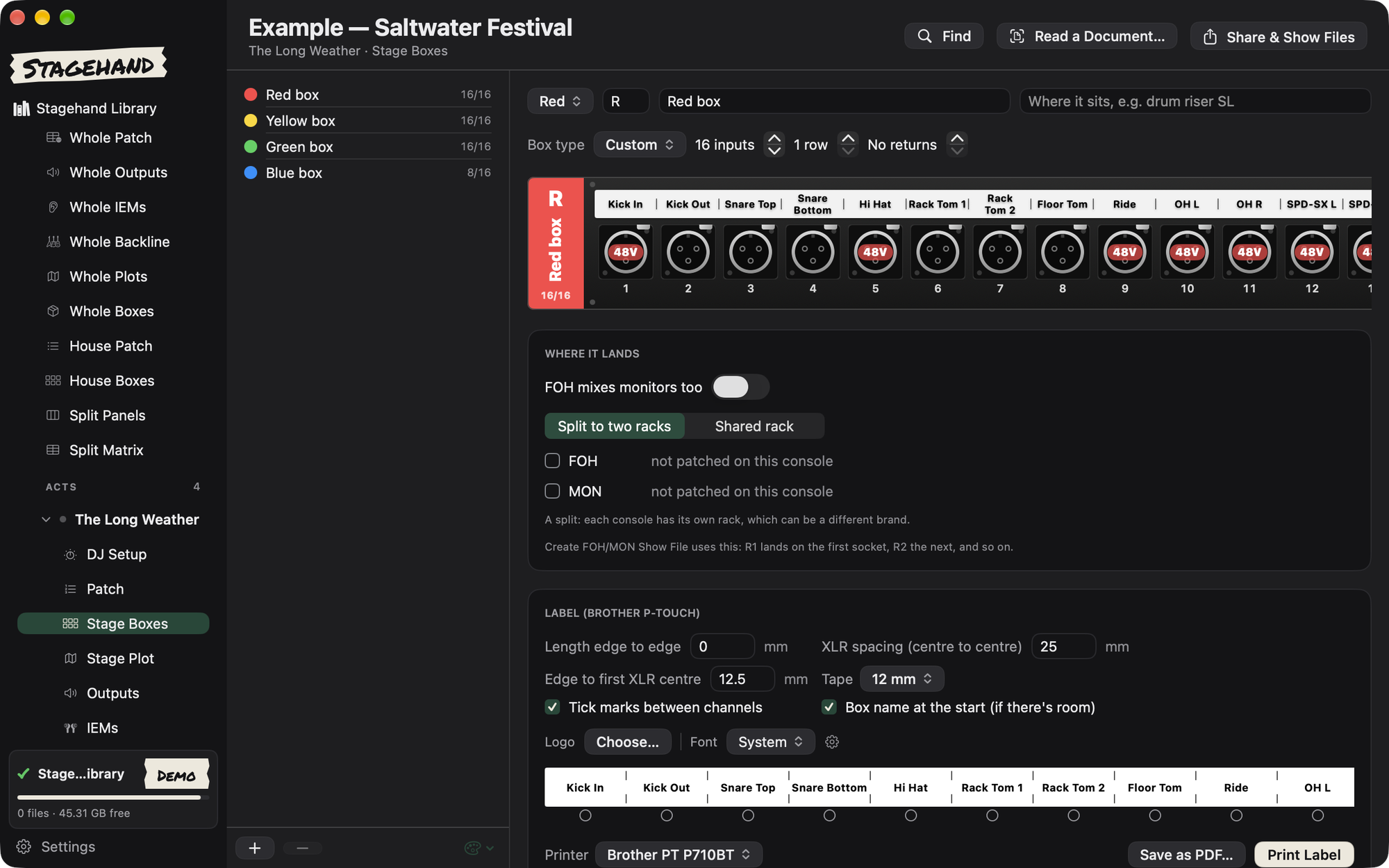
A real input list. Stage boxes drawn to scale.
Build the patch once. Stagehand draws every box and tells you when something does not fit.
- Mics, stands, 48V, stereo pairs and who brings it
- A warning when a socket clashes or runs past the box
- Print stage-box and IEM labels on a Brother P-touch
Stage View
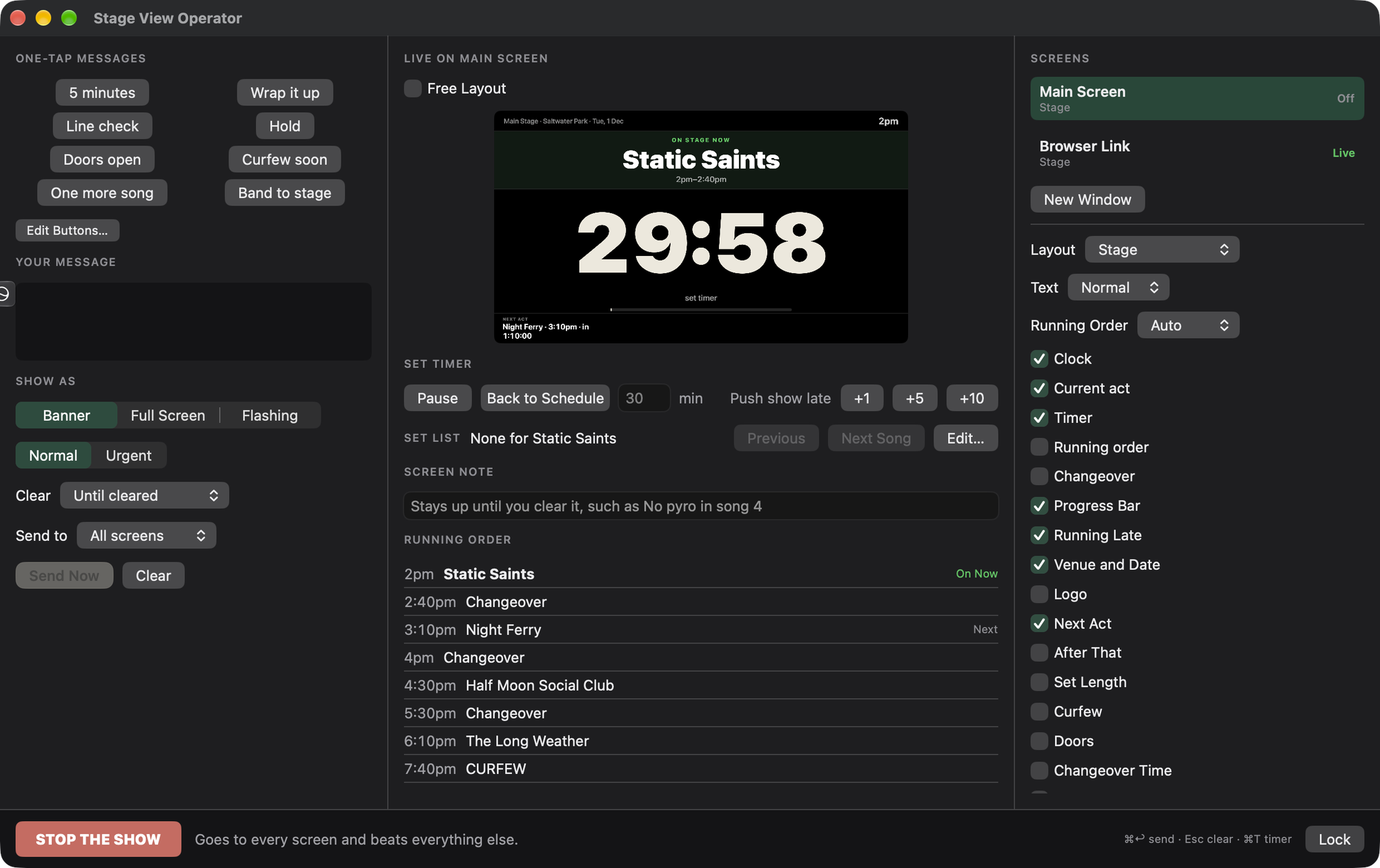
Put the show on a screen the stage can read.
A big, clear screen for side of stage. The clock, who is on, who is next and how long is left. Run it from your laptop at front of house.
- Send one-tap messages to the stage
- Push the show late, or stop it, in one move
- Put it on a TV, a second monitor, an iPad, or any phone's web browser
Wireless
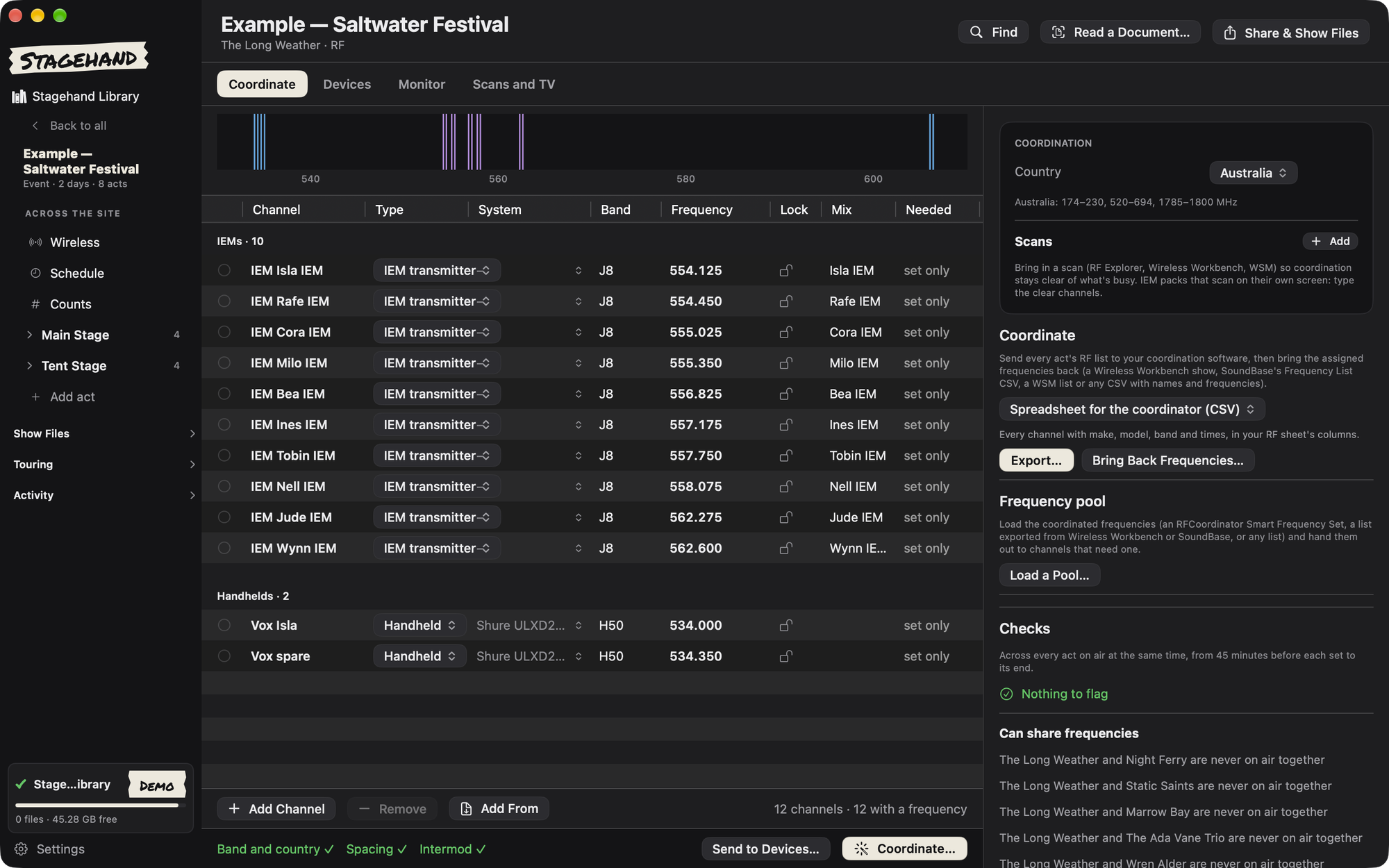
Coordinate the RF before you load in.
Add your mics and IEMs. Stagehand finds frequencies that stay clear of each other and of what is legal where you play.
- Mic and IEM channels per act and per stage
- A live dashboard for Shure and Sennheiser receivers, found on the network by themselves
DJ sets
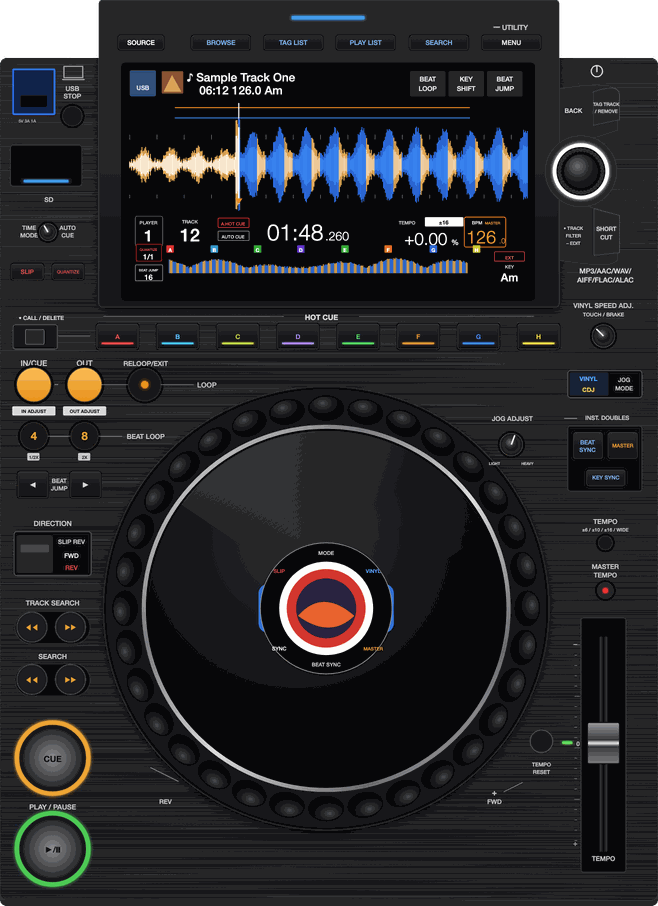
DJs get a real setup, not a footnote.
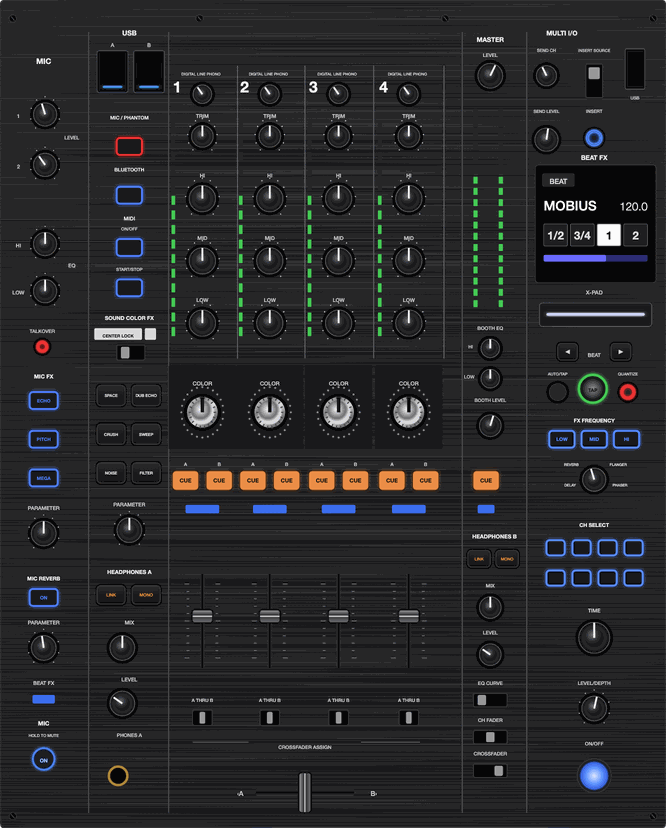
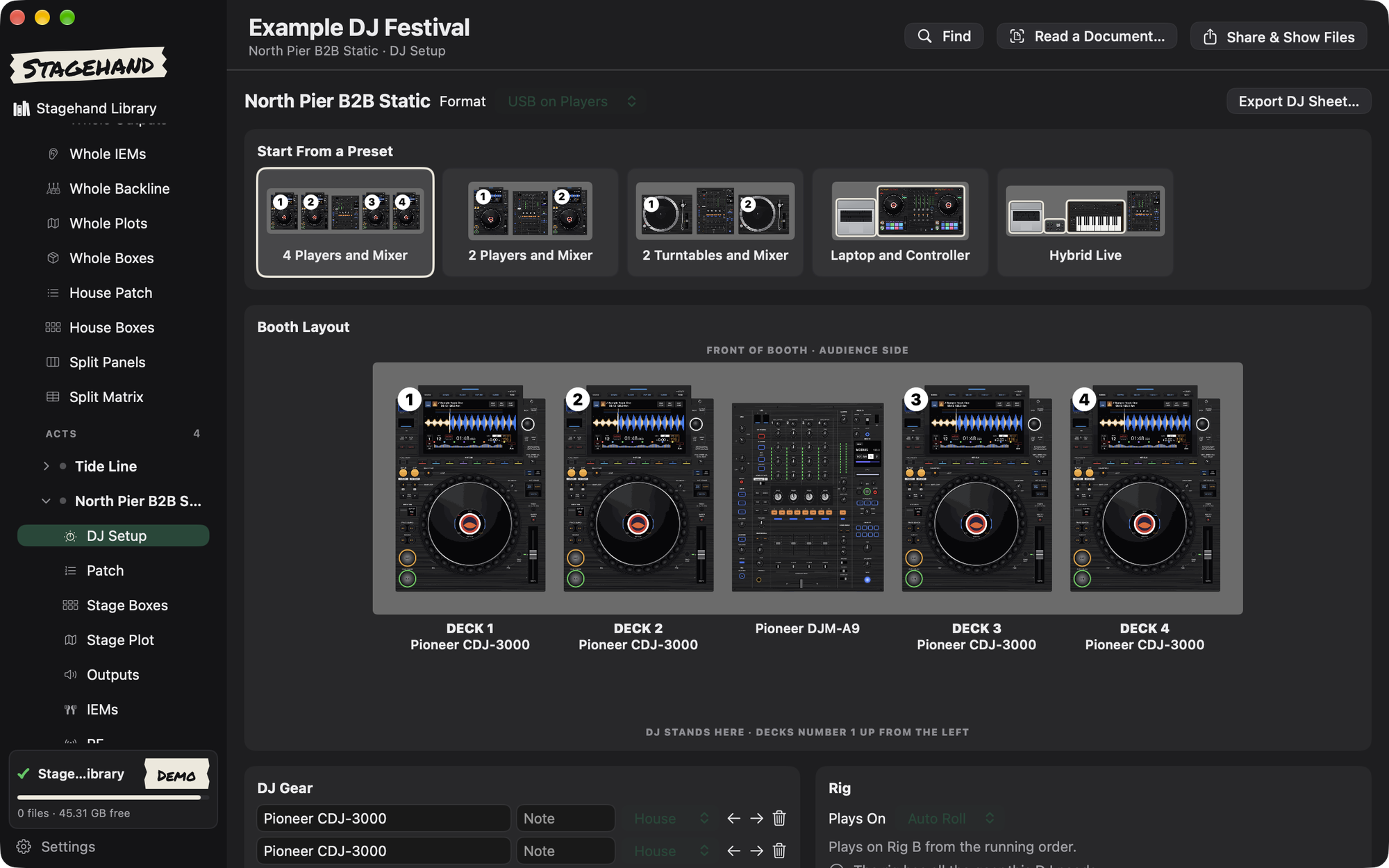
Bands and DJs on the same stage. Build each setup from top-down pictures of the gear, and roll an A and B rig between sets.
- Pick the gear from a list: CDJ-3000, DJM-A9, SL-1210 and more, drawn to real size
- A and B rigs on a table roller, with one set of booth monitors or Texas headphones
- Each DJ's setup, swaps, tie lines and show control on the stage plot
Find Anything
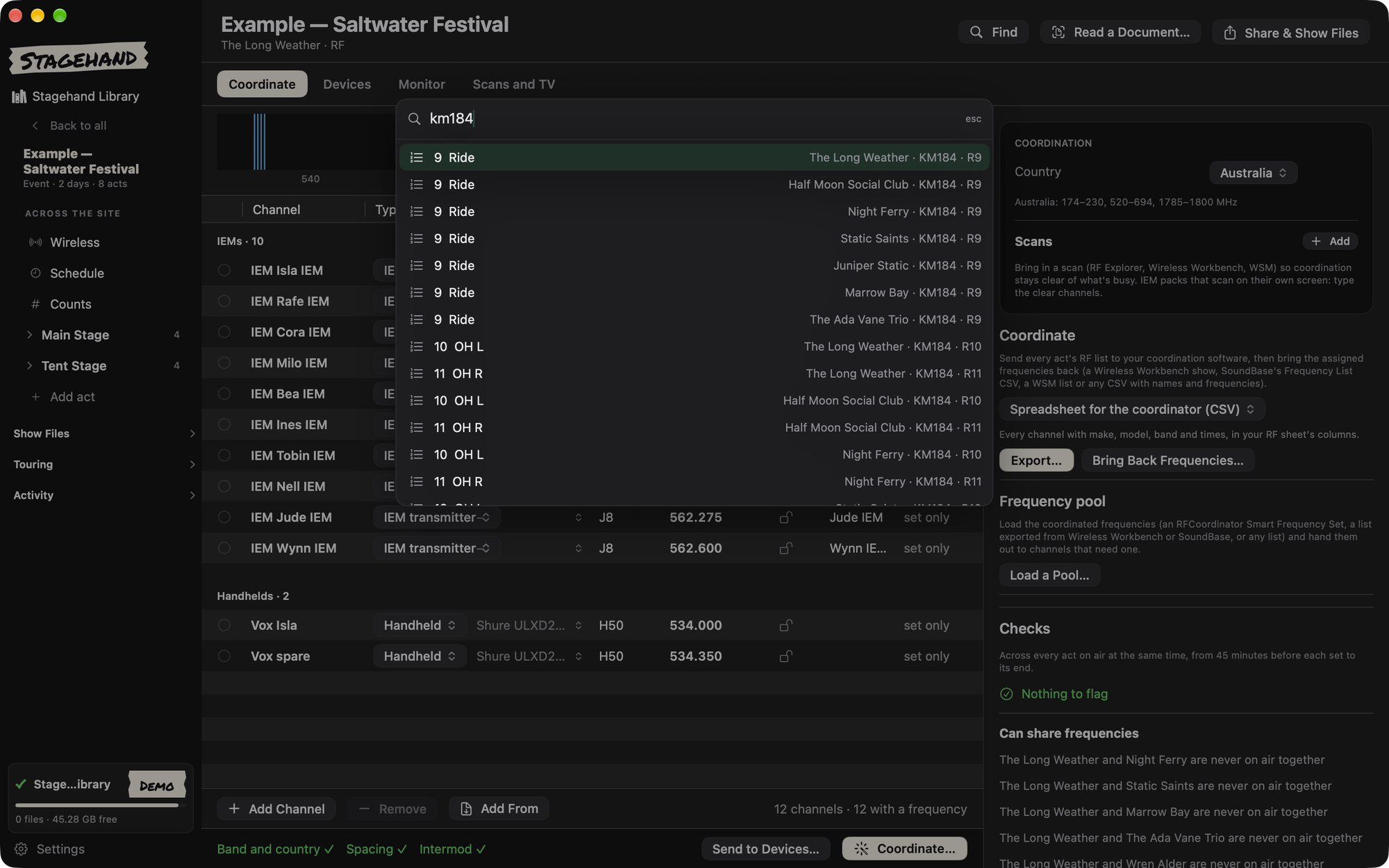
Press ⌘K. Type. You are there.
Jump to any page, act, patch line or mic in a second. Run actions from the same box.
- Search every act and every patch line
- Open pages without the mouse
- Find which act uses that mic
iPad and iPhone
Plan in the shop. Run it in your hand.
Build the show on the Mac. Carry it on the iPad and iPhone at the gig. Sync over local Wi-Fi, with no cloud account.
- Show day, patch, stage boxes and counts on the go
- Print labels from the iPad over Bluetooth
- Works offline, all day
Labels
Print labels straight from the app.
No label software and no copying names across. Stagehand prints from the patch it already has, on a Brother P-touch: over USB from the Mac, or over Bluetooth from the iPad. The Mac can also print to a Brother QL or a DYMO LabelWriter.
Stage box labels
One strip per box, with each name lined up over its XLR. Change the patch and reprint only the labels that changed.
IEM pack labels
Who wears it, the mix and the frequency, for every pack in one go.
Console strip labels
Channel names cut to fit your console's faders, printed as one tape. On the iPad it fills from the patch.
And more
The bits that save you an hour.
Read a rider
Drop in a rider, plot or schedule. Stagehand fills in the input list and counts. You check it before it is used.
Move between consoles
Convert show files between dLive, DiGiCo, Avid, Yamaha, Waves, X32/M32 and A&H SQ. In beta.
Share the advance
Send the venue one PDF or one web page. No login for them, and no server.
Festival splits
Every act on a stage side by side: the whole patch, outputs, IEMs, backline, plots and split panels, with what to re-plug at each changeover.
Revisions on every sheet
Issue a revision and every sheet says Rev 5, with a code that tells two copies apart. The crew always knows which one is current.
USB stick check
Is a visiting stick safe to plug into the desk? Stagehand reads it without changing it and tells you before you find out the hard way.
+ more
Plus more.
There is a lot more in Stagehand than fits on one page. Open it and have a look around — the example shows are already in there.
Beta
Join the TestFlight beta
Stagehand is free to test while it is in beta. I want to hear what works on a real show day, and what does not.
- Install Apple's free TestFlight app on your Mac, iPad or iPhone.
- Press the button below. It opens Stagehand in TestFlight.
- Press Accept, then Install. You are in. No invite to wait for.
Use the same link on each device you want it on. Tell me how it goes: dan@audiohawes.com.au.
On Windows you do not need TestFlight at all. Download it here.
Beta
Stagehand for Windows
The same app, page for page, on a Windows 10 or 11 laptop (64-bit). Open and edit shows, and get them from a Mac and send changes back over local Wi-Fi.
- Download the zip with the button below.
- Right-click it and choose Extract All. Open the Stagehand folder and double-click Stagehand.exe.
- Windows may say it protected your PC, because the app is not signed yet. Press More info, then Run anyway.
- Press Install. Stagehand goes in your Start menu and on your desktop. A newer zip updates it the same way.
About 180 MB. It brings its own Java, so there is nothing else to install. What's new, and older versions.
Not on Windows yet: PDFs, label printing, console show files and reading riders. Use the Mac for those for now.